


Designing with Artificial Intelligence
Lighting is one of the most important elements of visual design. It can transform a simple image into a dramatic scene, make a product look premium, or give digital artwork a realistic and immersive appearance.
With AI image generation, lighting is more than just brightness. It helps define the atmosphere, guide the viewer’s attention, highlight important details, and establish the overall mood of an image.
At QuantumLeap, we believe understanding lighting is a powerful way to unlock your creative potential. Whether you’re designing digital artwork, product visuals, portraits, or futuristic environments, mastering a few lighting techniques can take your AI creations to the next level.
AI-powered design is opening new opportunities for creators to experiment with visual styles, explore complex lighting environments, and develop creative concepts more efficiently.
As these tools continue to evolve, designers can use AI to explore lighting variations, test different atmospheres, and discover new approaches to visual storytelling.
At QuantumLeap, we believe technology works best when it supports human creativity. Understanding the fundamentals of lighting allows you to guide AI more effectively and create images that communicate your ideas with greater impact.
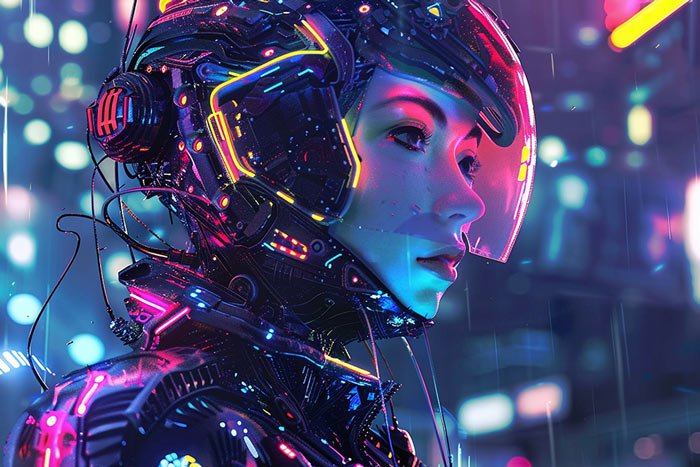
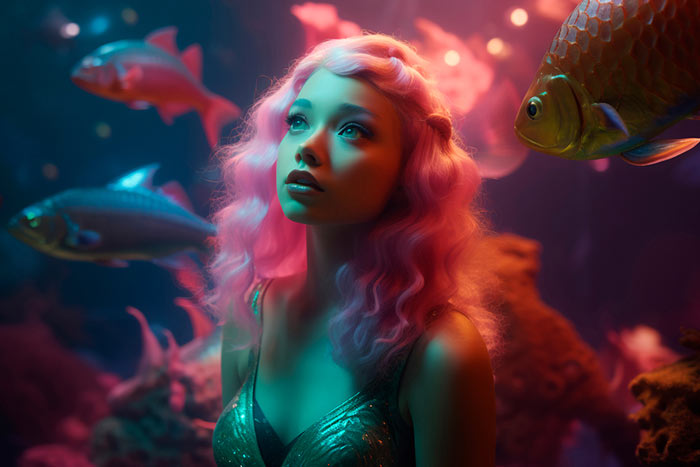
Lighting can turn a simple AI-generated image into a compelling visual experience. By experimenting with light direction, contrast, color temperature, and atmosphere, you can create images that feel more realistic, expressive, and visually engaging.
Start with one lighting technique, experiment with different prompts, and refine your results until they match your creative vision.
A Beginner’s Guide to AI Image Generation
At QuantumLeap, we believe understanding lighting is a powerful way to unlock your creative potential. Whether you’re designing digital artwork, product visuals, portraits, or futuristic environments, mastering a few lighting techniques can take your AI creations to the next level.
1. Understand the Different Types of Lighting
The first step toward better AI-generated visuals is understanding how different lighting styles affect an image.
Soft Lighting for a Natural Look
Soft lighting creates gentle shadows and smooth transitions between bright and dark areas. It is ideal for portraits, lifestyle photography, beauty visuals, and clean product images.
Try this prompt: A professional portrait with soft window lighting, natural skin tones, gentle shadows, and a calm, elegant atmosphere.
Dramatic Lighting for Bold Visuals
Dramatic lighting creates strong contrasts between light and shadow, adding depth, tension, and visual impact. It works especially well for cinematic scenes, dramatic portraits, and concept art.
Try this prompt: A mysterious character standing in a dark environment, dramatic side lighting, deep shadows, high contrast, cinematic composition.
Golden-Hour Lighting for Warmth
Golden-hour lighting mimics the warm glow of the sun shortly after sunrise or before sunset. It gives landscapes, portraits, and outdoor scenes a soft, inviting appearance.
Try this prompt: A beautiful countryside landscape during golden hour, warm sunlight across rolling hills, long soft shadows, atmospheric depth, realistic photography.
2. Use Directional Lighting to Create Depth
The direction of light determines which parts of your subject appear illuminated and where shadows fall.
- Front lighting: Illuminates the subject evenly and emphasizes visible details.
- Side lighting: Adds texture, dimension, and contrast.
- Backlighting: Creates a glowing outline around the subject and separates it from the background.
- Top lighting: Produces distinctive shadows and can create a dramatic or studio-inspired effect.
When writing AI prompts, specify where the light comes from rather than simply asking for a bright image. This gives the AI a clearer visual direction.
3. Experiment with Cinematic Lighting
Cinematic lighting helps images feel like still frames from a movie. It often combines controlled highlights, deep shadows, atmospheric effects, and carefully chosen colors.
Popular techniques include rim lighting, volumetric light beams, colored accent lights, and subtle background illumination.
For futuristic artwork, try blue and purple lighting with reflective surfaces. For a warm, emotional scene, experiment with amber highlights and soft shadows.
Example prompt:
A futuristic city at night, cinematic blue and magenta lighting, glowing neon signs, atmospheric fog, reflective wet streets, dramatic shadows, ultra-detailed digital art.
The key is balance. Too many competing light sources can make an image look cluttered, so establish one main light source and add secondary lighting only when it supports the composition.
4. Master the Balance Between Light and Shadow
Beautiful lighting depends on more than brightness. Shadows create structure, emphasize shapes, and make objects feel grounded in their environment.
If your AI-generated image looks flat, try adding directional shadows, stronger contrast, or subtle ambient lighting. If the image looks too harsh, request softer shadows and more gradual transitions between light and dark areas.
Useful prompt terms include:
- Soft shadows
- High dynamic range
- Balanced highlights
- Ambient occlusion
- Natural light falloff
- Subtle contrast
Use these descriptions according to your desired style rather than adding every term to every prompt.
5. Choose the Right Color Temperature
Light can feel warm, cool, or neutral, and each choice influences the mood of your design.
Warm lighting uses golden, orange, and amber tones to create a cozy, welcoming, or luxurious atmosphere.
Cool lighting uses blue, cyan, and cooler white tones to suggest calmness, technology, or mystery.
Neutral lighting helps maintain balanced colors and is useful for clean product photography and realistic scenes.
For a more polished image, keep your lighting colors consistent with the story you want to tell. A warm subject against a cool background, for example, can create an attractive contrast that makes the subject stand out.
6. Make Product Images Look Professional
Lighting is especially important when generating AI product visuals. It can emphasize material, shape, texture, and surface quality.
For a premium product appearance, try soft studio lighting, controlled reflections, subtle shadows, and a clean background. Metallic objects benefit from carefully placed highlights, while glass products often look more realistic with edge lighting and transparent reflections.
Example prompt:
A premium skincare bottle on a minimalist studio surface, soft diffused lighting, elegant reflections, subtle natural shadows, neutral background, luxury commercial product photography.
Describe the material and desired lighting together to help guide the visual result.
7. Use Atmospheric Lighting for Immersive Scenes
Atmospheric lighting adds a sense of space and environment. Techniques such as light rays, mist, haze, and glowing particles can make AI-generated scenes feel more immersive.
These effects work particularly well in fantasy landscapes, science-fiction environments, architectural visualizations, and game concept art.
For a natural result, use atmospheric effects selectively. Light beams look more convincing when the scene suggests an appropriate source of light, while fog and haze can help separate foreground and background elements.
Example prompt:
An ancient temple hidden in a lush forest, sunlight streaming through tall trees, delicate atmospheric mist, volumetric light rays, rich green tones, highly detailed fantasy environment.
8. Write Better Lighting Prompts
One of the easiest ways to improve AI-generated images is to describe lighting as part of a complete visual instruction.
A useful formula is:
Subject + Light Source + Direction + Quality + Mood + Environment
For example:
A glass perfume bottle on a dark pedestal, soft studio key light from the left, subtle rim lighting, controlled reflections, luxurious mood, deep charcoal background.
This structure helps you communicate not only what the image contains but also how the scene should look and feel.
Start with a simple prompt, evaluate the result, and adjust one lighting element at a time. This makes it easier to identify which changes improve the image.
9. Common Lighting Mistakes to Avoid
Even a strong AI prompt can produce inconsistent results. Watch out for these common issues:
- Too many light sources: Multiple competing lights can create visual confusion.
- Overexposed highlights: Excessive brightness can remove important details.
- Unnatural shadows: Check whether shadows match the apparent direction of the light.
- Unbalanced colors: Too many lighting colors may distract from the subject.
- Flat compositions: Add directional lighting and shadow variation to create depth.
- Excessive effects: Too much glow, haze, or bloom can reduce clarity.
Always review the generated image and refine your prompt where necessary.
1 Comment
Distinctio nam voluptates aliquam totam vitae commodi. Qui et molestias accusamus quod est minima. Fuga voluptatem quae ut doloribus velit ea. Assumenda qui magni nostrum nulla impedit. Autem deserunt autem quaerat soluta dignissimos aliquid totam. Repellat quis eos reiciendis sed ut culpa. Voluptate sed pariatur mollitia eos distinctio. Quidem id aliquid ab molestiae.